Saturday, January 19, 2019

Increase Sales with Dynamics 365 AI for Sales - Part-1


This is part-1 of my blog series on AI with Dynamics 365. In my earlier blog I discussed about the need for systems of intelligence and how Microsoft has introduced a suite of AI apps with Dynamics 365. This blog is on Dynamics 365 AI for Sales.

Enterprise clients want a healthy sales pipeline with motivated sales force. It is vital to provide all necessary tools for the sales person, to be able to focus on the right leads and opportunities and close sales faster to deliver on sales targets. Dynamics 365 AI for Sales aims to do just that –
·       Help increase Sales – Business management
·       Analyze sales team performance – Team management
·       Get insights on Customer interaction – Call Intelligence

Dynamics 365 AI for Sales
Why use Dynamics 365 AI for Sales? – Large enterprises gets 1000’s of leads and opportunities from different channels and sources. They are all collected, cleansed and fed into a sales management system like Dynamics 365. The plethora of leads and opportunities can become overwhelming for a sales person, and it becomes difficult for the Sales team to focus their efforts on the important lead or opportunity and build the right customer relationship. 

Predictive Modelling - using Azure ML

Dynamics AI for Sales removes the manual guess work out of the Sales persons hand. It analyses the data within Dynamics 365 and Office 365 (exchange). It than uses Azure machine learning to creates a predictive model that scores and categorizes the leads and opportunities and identifies trends on a real time basis.
This provides indicators for the Sales team to identify the right lead and opportunity to meet their Sales goals.

Identifying trends

With the right information on the Opportunity or Lead such as the score, grade & trend is improving or declining – the Sales person and team can than work on it and get it to close faster. This will help increase the Lead qualification and Opportunity close rate and improving the overall business.

Initial observations –

  1.       Dynamics 365 AI for Sales only works with data from Dynamics 365. So if you need to integrate data from multiple systems outside Dynamics 365 it may not be feasible.
  2.        Requires a separate license and it is a different app. Users may not want to log into to multiple App. Though the data is also shown in Dynamics 365 – like the Lead / Opportunity scoring, grading and trends. But the AI app has some cool visualizations for management.
  3.       It currently only collects data from the OOTB Sales entities – Leads, Opportunities, Goals etc. If you are using custom entities than they will not be used for the predictive modelling. Also if you are not using OOTB entities like Goals the app may not be that useful.
  4.       The models cannot be customized as provided by AML. 

      Considering this is still in preview & version 1.0, I would expect it to only improve over time. My thoughts are, this is a good way of proving how you can integrate Dynamics 365, Office 365 & Azure ML and make an AI app to help the organization do more.

To achieve the above is not an easy task and needs understanding of the organization sales business process and Dynamics 365 Sales integration. Systems of intelligence cannot be built overnight and needs the underlying data from systems of engagement and systems of records. 

I hope this gives you a brief idea of the upcoming capabilities of Dynamics 365 AI for Sales. In my next blog I will write more about the implementation of Dynamics 365 AI for Sales. Keep reading.

Mihir Shah
365WithoutCode

Friday, November 30, 2018

Dynamics 365 AI - Systems of Intelligence

Microsoft has introduced a suite of AI apps with Dynamics 365. This blog talks about Apps for AI as the new systems of intelligence.

Enterprise journey to intelligence -

The earlier enterprise applications were called Systems of Records - This were the Operations , Accounting / finance and HR applications used to record sales transactions, do accounting and process payroll. This formed the traditional ERP business apps.
As the Customer became recognized as King (or Queen for that matter) new Systems of Engagement were created for acquiring, winning and keeping the customer with the business, the CRM apps of Marketing, Sales and Customer Service.
Now that we have had both the Systems of records and Systems of Engagement the need was to combine the data that was collected and gain intellectual insights. Additionally technology has enabled us to train machines (develop algorithms) to recognize patterns in the data, learn and predict possible future outcomes and take actions from the insights thus evolving into AI.  Now we have what is called the Systems of Intelligence in the form of Machine Learning and AI.

Apps in Dynamics 365 -

There are mainly 3 types of applications (or apps) that you can purchase with Dynamics 365 - Business apps, AI apps & Mixed Reality apps. 
The business apps consists of -
1. Customer Engagement - The traditional CRM - Sales / Customer Service and Marketing suite
2. Finance & Operations - ERP suite
3. Retail - Point of Sale solution
4. Talent - HR solution

Dynamics 365 AI

Now Microsoft has added intelligence & made it more interesting by bringing in the Dynamics 365 AI apps
1. AI for Sales
2. AI for Customer Service insights
3. AI for Marketing Insights
The Apps for AI are built to be integrated with the Sales, Marketing and Customer Service apps. They add intelligence to the data collected, stored and processed within the business apps. Integrate the Apps with other Microsoft solutions - Office 365, Power Apps and Power BI... and the possibilities for transforming your business with intelligence becomes very real.

Design for AI -
Looking back when we were designing and developing the Systems of Records the focus was on management & exception reporting to get a 360 view of business. With Systems of Engagement the focus changed to 360 view of the Customer.
Today as you are building new applications for the future - remember to incorporate and design for AI. The Systems of Intelligence will be those that -
1. provide actionable insights
2. are cognitive and self learning
3. reinforce human intelligence

I am assured that the new Dynamics 365 AI apps are the beginning of the Systems of Intelligence and the road ahead is as exciting as it is challenging.

I will write more as I get my hands dirty with the Dynamics 365 apps for AI. Thanks for reading.

Mihir Shah
365WithoutCode


Thursday, November 1, 2018

Integrating Teams with Dynamics 365 - Part-II

This is the 2nd part of my blog on Teams and Dynamics 365. In Part-1, I discussed about Teams and Office 365 apps. This blog will show how to integrate Dynamics 365 Customer Engagement with Teams.

Teams is integrated with Office 365 Apps. Creating a team also creates a SharePoint team site and also an Office 365 group for the team, which can be accessed from Outlook. As discussed in my earlier blog, Team consists of Channels and all communications and collaboration is done within the Channel. You can add a tab to the channel to show records from other Apps like Dynamics 365 and GitHub.

Teams will be useful for users to form groups to discuss, collaborate, share and do meetings together. It helps the team members to have one go to location for all messaging, documents, notes, design and meetings.

For example I have created a Team called Big Deal Opportunity. Within the team is the Bids and proposal Channel. I want to link my channel with the Dynamics Account - Bob the Builder so I have all the up to date info about the Account and Opportunity in  one place where the team is working together for bidding and proposal development.

1. On the channel select the '+' sign to add a Tab. Search for Dynamics and select Dynamics 365 - preview (Note - The Dynamics 365 integration is in preview and needs to be enabled in Dynamics 365 > Settings > Preview tab)

Add an App to Team


2. Select Org and Entity - If you have multiple environments it will ask you to select the Dynamics Org and also the Unified Interface App.

Select Org and App
Note -
1. Only Dynamics 365 v9 and above will work for Team integration
2. Only Unified Interface Apps will work. Not Web Client.

3. Select Entity and Record - The last step is to select the entity (Account) and the record.

Select entity and record
Once you are done a new tab will be added to the Team channel and it show the record in the Tab itself.
Account Tab in Teams

As you can see now the team can get all the info from the Dynamics 365 Account record (or any other record) on to the Team Tab.

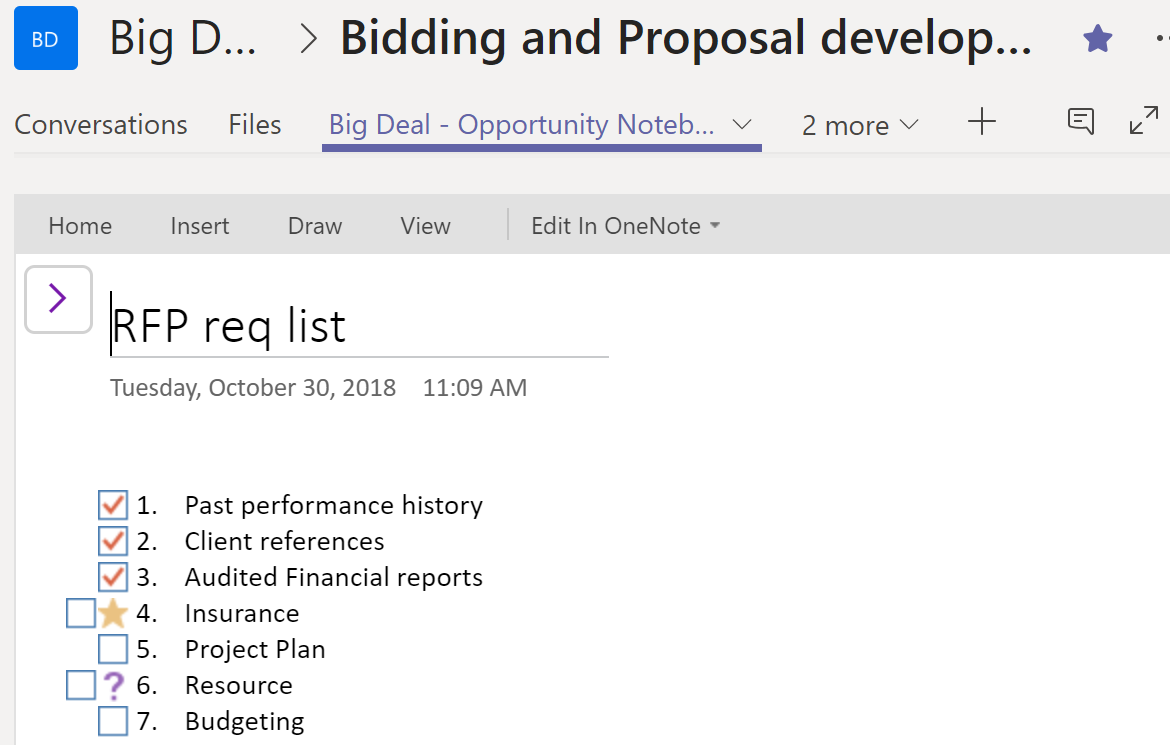
Another good integration for Teams, is with One Note. I added a One Note Tab  on the Channel, which the Team can view and work on as they collaborate.

One Note Tab in Teams
I hope the above help you to integrate Teams with Dynamics 365. Thanks for reading.

Mihir Shah
@mihircrm
365WithoutCode


Tuesday, October 30, 2018

Teams in Office 365 & Dynamics 365 - Part-1


Dynamics 365 online is part of Office 365 family of productivity and collaboration suite. It is well integrated OOTB with many other Office 365 apps such as SharePoint, One Drive, Yammer, One Note and Teams. This multi-series blog is about Teams and its integration with Office 365 Apps and Dynamics 365. Part-1 of this blog focuses on Teams and Office 365 apps.

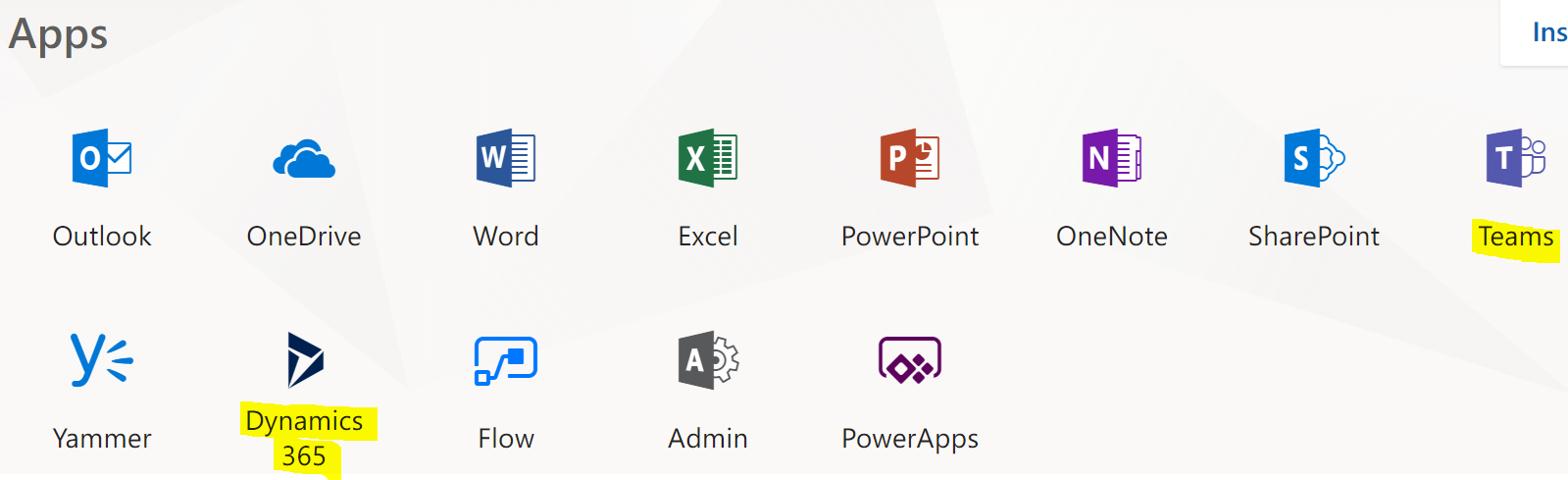
Apps in Office 365


One important thing to note is that the apps are very much interconnected. You create an Opportunity team in Teams and this will auto create a Opportunity Group in Office 365 with its own email address that you can access from Outlook. This also create an Opportunity SharePoint team site to store and share files. You can add One note, Power BI, Power Apps, Dynamics 365 etc as tabs to the channels within a Team.

About Teams – Teams according to me is one of the best Office 365 app, that can really helpful in improving collaboration and communication within an organization. The below gives you an overview of setting up a team and linking it with other apps. .

  1. Create Teams and Channels -
You can create a public, private or org wide team. A team owner can add members to the team. 


Teams consists of Channels. A general channel is auto created when you create a team. Additional channels can be created as needed. All team users have access to all the Channels within a team. (Channels are not private)

All collaboration takes place within the channels of the team.
In a channel you can start conversations by @mentioning users. Also add attachment files, start audio / video meetings (skype) and more. 
Channel collaboration
2. Chat with other user/s – You can start chat messaging with one or more users. The chats are private to the members in the chat only. 

Team chat

3. Meetings – You can start an instant audio / video meeting from within a channel or chat. The meeting can also be scheduled as shown below. This is a great alternative to having meeting outside Office 365. This also creates a tab for adding meeting notes within the channel. 

Schedule meetings
Hope this blog helps you in getting started with using Teams in Office 365. I will write about the integration with Dynamics 365 and Teams in the Part - II of this blog.

Thanks for reading. Please let me know your experience working with Teams.

Mihir Shah
@mihircrm
https://www.linkedin.com/in/mihircrm/
365WithoutCode


Friday, September 7, 2018

Delivering Dynamics 365 - Agile in Enterprise

This is part-2 of my multi series blog about Delivering Dynamics 365 online (Customer Engagement) in the Enterprise. In my earlier blog (Part-1) I have written about Enterprise Design Thinking. This blog focuses on using Agile to deliver Dynamics 365 in the enterprise. The thoughts below are from my experience in design and delivery of Microsoft Dynamics solutions for Enterprise clients using Agile and my learning from IBM Agile academy.

Continuing from my earlier blog, Enterprise design thinking helps in selecting the right project based on user outcomes, Agile helps in delivering the project right for the user outcomes.


1. What is NOT Agile ? - I think there are many books and research out there to talk about what is Agile so I would like to start by discussing "What is NOT agile ?" 
Many years ago when I started with agile delivery I had the feeling that Agile was more like the "6 blind men and elephant story". 
What is NOT Agile ?

If anyone has felt like this on an Agile project than you know what i am talking about and this is NOT Agile. Especially on an Enterprise project where there are multiple teams, with unique expertise like - business, BA, design, Dev, QA, Performance, UAT.., working in different parts of the world brought together to deliver, doing Agile becomes a challenge. And yet, it is possible to be successful - as Agile is a team mindset when working together. It requires certain process and simple rules to be adhered to (I will discuss some below). In an Agile project everyone has a mutual understanding of the desired user outcome. 

Another important concept is the Minimum Viable Product (MVP) - delivering value to the user in an iterative process. This is the prototype approach to delivering. Microsoft Dynamics 365 provides a ready to deliver platform (with Power Apps, Power BI, Flow etc.) which can help in creating an MVP prototype in days. The team can than using, Agile methodology, iteratively build on the prototype to meet and exceed user outcomes.
MVP using Dynamics 365


2. Flavors of Agile - All enterprise clients I worked with, have a unique understanding and would like to implement Agile in their specific way.   I call it the different flavors of Agile. No matter what flavor it is, there should be a common understanding of the reason why Agile is selected as a methodology.
Sometimes it is just a name which is given to the existing mashup process and there is no intention for being agile. If the top management has a clear directive to all employees to use agile and the team members are trained on Agile, it is well understood and accepted. Agile is a mindset that needs to be embraced by the enterprise.

3. The soft(er) values of Agile - As per IBM Agile academy, the values in Agile guide how we, as a team relate to each other, the values are – Trust, Respect, Openness, Courage and Empathy. The values are to be taken seriously and applied in every action of the project. The team (consisting of Client and Consultants) should have mutual respect and trust each other. If a team does not have the right values,  the project implementation becomes a challenge and instead of getting together the team gets divided and may disrupt the project.

4. Agile principles - IBM Agile academy also provides certain principles to guide the team. The 3 principles of Agile are
  • Clarity of outcome
  • Iteration over perfection
  • Self directed teams
I will discuss each of the principles below and add my project experience. It is important that each team member understand & adhere to the principles in the Project.

5. Clarity of outcome – This is to be clearly defined for the project team and this may be documented in the project charter / SOW. The SOW is used by implementation team as the bible / guide for the project. If there is an ambiguity in the SOW it can lead to confusion and difference in expectations. If the project team is not following the SOW, it needs to be highlighted and understood. Many Dynamics 365 project have not succeeded because of the lack of clarity due to not involving users in the entire process.

6. Iteration over perfection – In agile the goal is continuous improvement. After each iteration the team improves working together, the process is better understood and the velocity increases over time. So do not expect the team to be perfect from day 1. In one of my Microsoft Dynamics 365 agile project, our team velocity increased from 100 points in the initial Sprint to 300 points in the end of the Project phase. The first software delivered is an MVP and also every delivery is a prototype that will be improved upon in the next Sprint iteration. 

7. Self directed teams – Teams need to be empowered to take decisions. Once the team members know that they have the power to contribute and make group decisions, the team is motivated and does the necessary actions to complete the work. 
If you see something, say something

Team empowerment is a very powerful principle of Agile. This requires the team members to actively participate and have the courage and be allowed to speak up during agile meetings. It is vital to call out and fix an issue in the earlier stages of development than when it is found in Production.

I hope the above gives you a taste of Agile and would love to hear about your experiences in delivering Dynamics 365 using Agile.

Mihir Shah
Twitter - @mihircrm
LinkedIn - https://www.linkedin.com/in/mihircrm/

Friday, August 17, 2018

Dynamics 365 & Enterprise Design Thinking - Delivering Dynamics 365 Part-1


This is part-1 of a multi series blog about Delivering Dynamics 365 online (CRM) in the Enterprise. Microsoft Dynamics is now the business application platform of choice for Enterprises who are doing Digital Transformation projects. Dynamics 365 in conjunction with Azure and Office 365 is a strategy tool that Enterprise can depend, build upon and deliver long term business growth models with confidence. 
At IBM, Enterprise Design Thinking is helping project teams to deliver better experiences at scale. I will discuss its use in conjunction with Agile and how it helps in Dynamics 365 project implementations.
Enterprise Design Thinking @ IBM


1. Why Enterprise Design Thinking  - Dynamics 365 is a multi-faceted platform that can, in enterprises, be used for Sales / Customer Service / Marketing / Custom business process / Portals... When selecting the optimum business application where Dynamics 365 will be most useful, it is critical to identify the right problem to solve. There are 2 steps to be followed for the success of an Enterprise project.
  • Step-1 Doing the right project. - There can be multiple strategy / tactical options for an Enterprise to select from when planning for Digital Transformation. Due to budget, time and resource constraints (the eternal project constraints) management has to select the right strategy option / program for the organization. Enterprise design thinking is an approach to identify the strategic goals that will deliver the best outcomes for the user and customer.
  • Step-2 Doing the project right - Once the right project / program is selected and the goals / hills are identified, the design and delivery of the project (doing it right) is where Agile project implementation really makes a difference.
Enterprise Design Thinking helps in identifying the problem to solve focusing on user outcomes. So every major project (where feasible) should begin with Enterprise Design Thinking approach to define the project hills (goals).

2. How does it work for Dynamics 365? - Enterprise Design Thinking is based on set of principles - Some of the key concepts are 
  1. Focus on user outcomes - This is to enable the future users of Dynamics 365 to make a substantial difference in how they do their current work for their customers. The challenges faced by the users are highlighted and a future outcome is envisioned. The 'aha' moment in delighting the customer is defined as Hills (goals).
  2. Team work -  People from different areas come together as a team to collaborate. They work together, develop mutual respect, trust and ideate. In Dynamics 365 we have multiple teams working together like - Dev, QA, business users, BA's, integration... They need to be guided with the same goal. The hills identified become the guiding star that everyone looks upto as a team when working on the project. There are many tools / artificats in Design Thinking process that help the team to collaborate, think and reflect together. 
  3. Relentlessly reinvent - This is the iterative cycle of improvement. As we design and deliver solutions for better user outcomes, the process of feedback can help improve and provide an even better solution.  It is also key to consider everything as a prototype and deliver solutions faster in an iterative manner. Dynamics 365 / Power Apps helps to design and present prototype to business users in a short time so that they can get a quick view of the proposed solution. Any feedback can be incorporated in the early design stage.
In an Enterprise Dynamics 365 project we worked on, the team first went through the Enterprise Design Thinking process, where we collaborate, ideate and identify the hills (aha moment). One of the hills identified, was chosen as a goal for the first phase of the project. That became our guiding north star which we used to stay on track and help deliver the project using agile methodology.

Agile and Enterprise Design Thinking have lot of similarities and when used in conjunction they help business in envisioning, designing and consistently delivering better solutions. 

Do let me know about your experience with Design Thinking. In my next blog (part-2) I will write about the agile implementation process for delivering Dynamics 365. Thank you for reading.

Mihir Shah


Tuesday, June 19, 2018

Approvals for Dynamics 365 using Microsoft Flow


One of the business requirement which I have encountered is to provide an ability to approve or reject a request (for example lead or Opportunity) in an email without having to open Dynamics 365.
This is now possible using Approvals in Microsoft Flow. Below is an example.
Business scenario – When a lead is created in Dynamics 365, send an Approval email to user/s. Provide some details of the lead in the email. Once the user approves or rejects the lead, capture the response with the comments in Dynamics 365.
   
        I have setup the following environments –
a.       Dynamics 365
b.       Microsoft Flow
c.       Outlook online - Office 365

     Create a new Approval flow with Dynamics 365. In this example an approval email is sent when a Lead is created. I have connected to the demo org and selected the Lead entity.
Flow trigger - When a lead is created

Next step is to create the Approval.  The approval sends an email to the approver with a link to the record and some details info. The approver can review the email, approve or reject the record from within the email and add comments to it.

Approval email config
When a Lead is created in Dynamics 365 the approval is triggered and it sends an email to the person/s who need to approve. The email is shown below. The email is from Microsoft. I am not sure if this can be modified. The body of the email is as configured and shown below

email body
The approver can select Approve or Reject from within the email and also add comments.
The next step is to set a condition for updating the response into Dynamics 365. I have added the condition below. I have also added 2 custom fields to the Lead entity to store the response in the Lead record.

Conditional action
If approved I want the Lead record to be updated with the response and comments.

Update lead

I can also add a condition if the Approver rejects to update the lead with the response and comments.
Here is the end result with the Lead entity record updated in Dynamics 365.

Lead record updated
Microsoft has provided ability to track the run history and performance of the flow with Power BI analytics.


Run performance

This is a simple way to perform Approvals in Dynamics 365 using Microsoft Flow. I hope this helps you to try the Approvals and let me know your experience with it.